So what it is that… When you are writing a playbook and testing it, you need the following components:
Ansible IDE tool – my current favourite is VSCode, because there are so many nice extensions + Red Hat recently have released ansible extension
VSCode Ansible extension
Ansible-Core – the command line tool, the language and framework that makes up the foundational content before you bring in your customized content.
Ansible-Builder – to build execution environments
Ansible-navigator – to run, test playbooks with execution environments
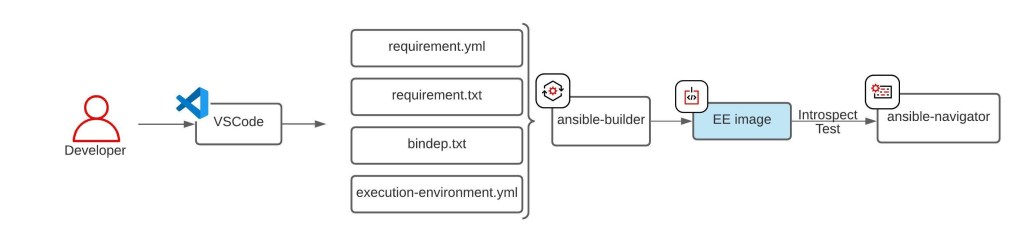
If you haven’t built an execution environment, the very first thing that you need to do is to build an execution environment, as below:
4 files that you need to create are;
bindep.txt – Bindep is a tool for checking the presence of binary packages needed to use an application / library, so whatever is defined in this file will be installed.
requirement.txt – The python entry points to a Python requirements file for pip install -r …
requirement.yml – Outlines ansible collection requirements for galaxy to download and include into the execution environment.
execution-environment.yml – A definition file as an input and then outputs the build context necessary for creating an Execution Environment image
Once the required execution environment is ready, it can be shared across your colleagues to enhance the collaboration experiences through consistencies.
Also, now you can start to develop an ansible playbook;
Finally, once you are happy with the playbook and the execution environment, it should be uploaded and managed in source management systems:
playbooks – Source Control Management Systems – e.g. github, gitlab….
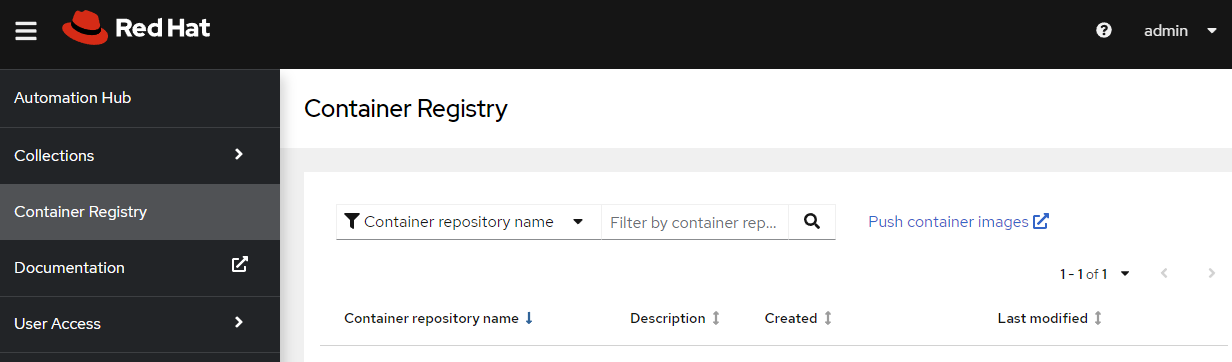
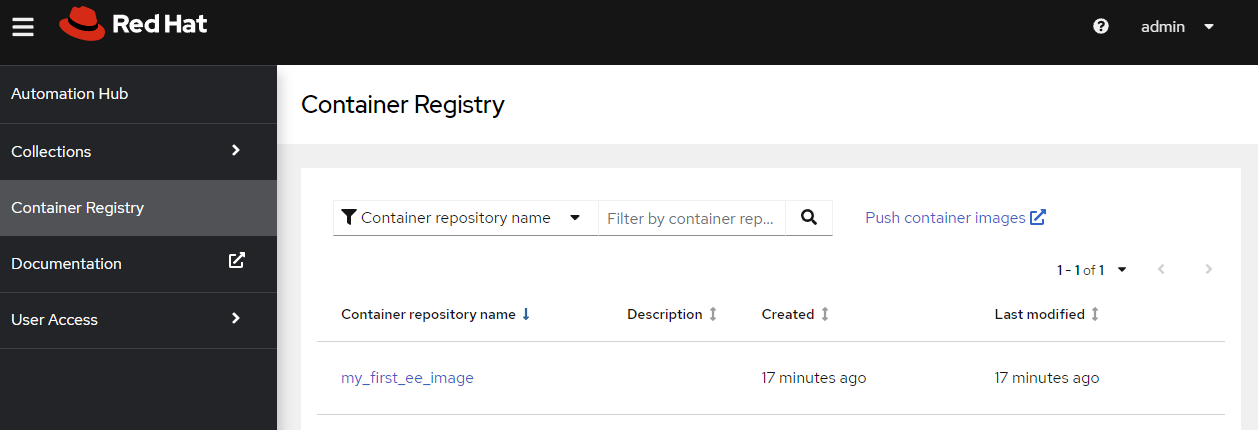
EE image – e.g.) Automation hub, Quay.io, artifactory…
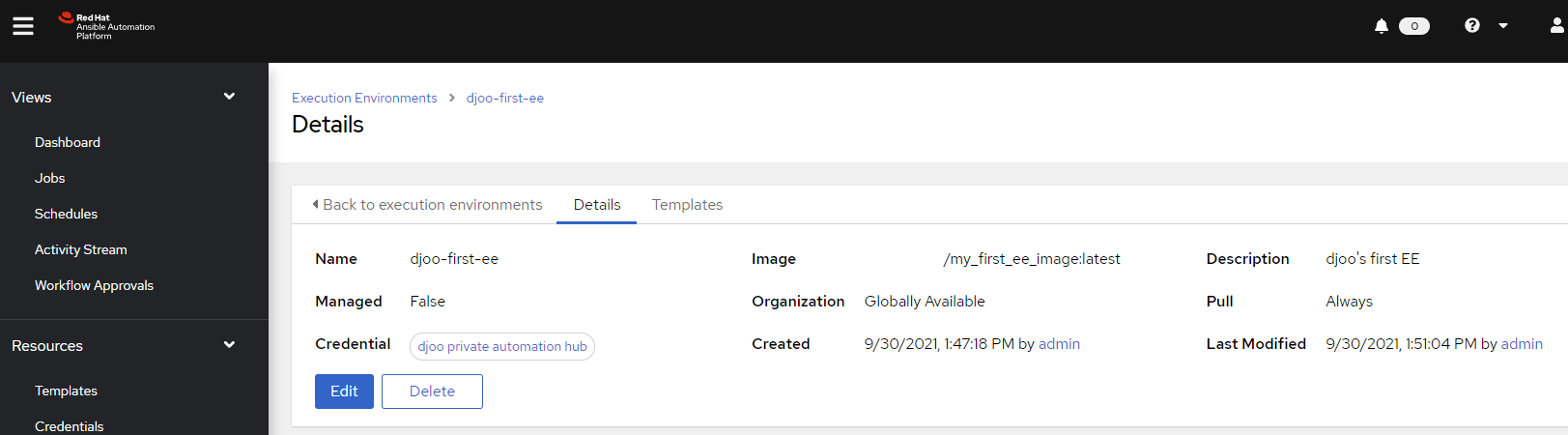
Then those can be properly leveraged by Ansible Automation Platform.
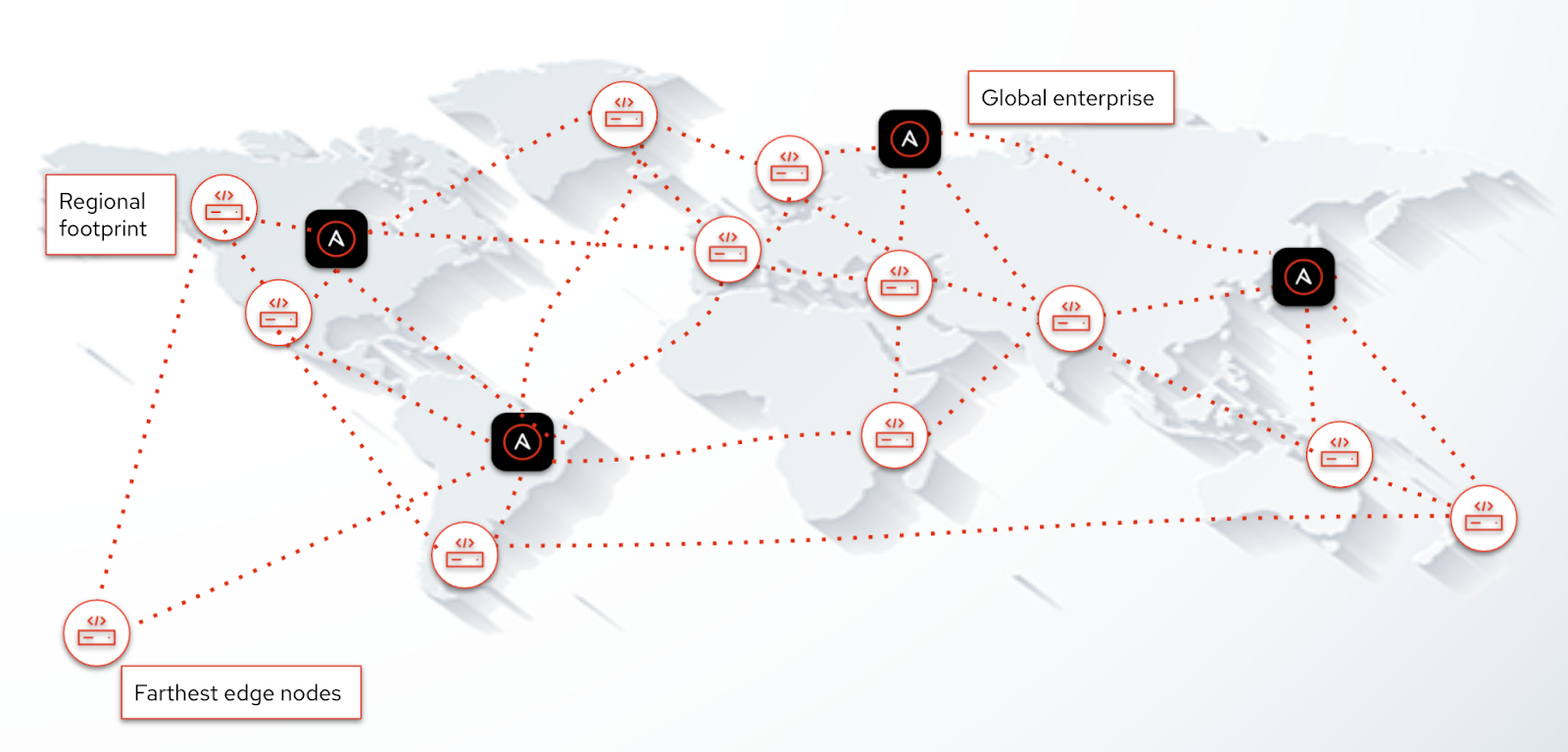
Automation Mesh: This is the newest addition to Ansible Automation Platform, and replaces the isolated nodes feature in 1.2. By combining automation execution environments in version 2.0 with automation mesh in version 2.1, the automation control plane and execution plane are fully decoupled, making it easier to scale automation across the globe. You can now run your automation as close to the source as possible, without being bound to running automation in a single data center. With automation mesh, you can create execution nodes right next to the source (for example, a branch office in Johannesburg, South Africa) while execution is deployed on our automation controller in Durham, NC.
Automation mesh adds:
Dynamic cluster capacity. You can increase the amount of execution capacity as you need it.
Global scalability. The execution plane is now resilient to network latency and connection interruptions and improves communications.
Secure automation. Bi-directional communication between execution nodes and control nodes that include full TLS authentication and end-to-end encryption.
This is a note for my own to remember partitions and recommended sizing that I have been using. Below partition table was created to be inline with various security benchmarks. e.g. CIS/Essential 8
So in the previous series of articles, I have discussed what Ansible Execution Environment (EE) is, and how it is being consumed in the Automation Controller.
But really, how can I tell whether it is being ran or not?
Simple! This can be validated by running “watch podman ps” on (a) execution node(s).
Below are 3 screenshots from moments of “before”, “during”, “after” a sample automation execution.
Command to run:
# su - awx
# watch podman ps
Before:
Before the automation execution
During:
During the automation execution
After:
After the automation execution
As you can see from the above, execution environment is dynamically spun up as a container and cleaned up right after the execution is completed.
With Ansible Automation Platform 2 release, few terminology changes were made. One of those are, Ansible Engine as we know which included ansible binaries, modules are replaced with “Ansible-Core”.
Ansible Core is the foundational part of the Ansible Automation Platform. It’s the command line tool, the language and framework that makes up the foundational content before you bring in your customized content.
The main differences between ansible-engine and ansible-core are “contents” e.g. modules and plugins.
Ansible Core only comes with limited number of contents. (Number of ansible modules comparison between ansible 2.9 vs 2.11 can be found here.)
By moving contents out of the ansible-core, this provides following benefits:
Agility – Currently ansible contents are being developed and managed by Open Source Communities, partners and Red Hat. Now modules can be updated and managed through developers-driven and ansible-independent schedules.
A lean & Purpose driven execution environment – By only incorporating required plugins and modules, it bring the focus back into the users’ automation environment, rather than overloading with unnecessary contents.
As you can guess, this change was another foundation for Ansible Automation Execution Environment a.k.a ansible EE.
The biggest announcement would be on the Ansible Automation Platform 2.
Last July, there was a sneak preview + early access program for Ansible Automation Platform 2.0. (Link)
N.B. This is an “early access” program, which means?
Early access means that any Red Hat Ansible Automation Platform subscriber has the ability to download, install, and file support cases against this newly released 2.0 version of the product. Because there are additional core features and functionality that are slated for the 2.1 release later this year, the formal marketing launch for both 2.0 and 2.1 versions will happen later this year at AnsibleFest. Therefore, many of the typical resources (such as documentation, blogs, etc.) will only be made available on the Red Hat Customer Portal until formal launch at AnsibleFest.
So with the release of Ansible Automation Platform 2.1 in later 2021, Ansible Automation Platform 2 will be properly GA’ed.
However, in this article, I am going to focus on three main announcements:
1. Ansible Tower and Ansible Engine are no more.
=> Its replaced with Red Hat Ansible Automation Platform.
More details to be followed below.
2. Ansible Core – “Batteries are not included”
Ansible engine is now replaced with a component from Red Hat Ansible Automation Platform called “ansible-core”
Different to the Ansible Engine, the “ansible-core” will only include a limited number of core ansible modules. (Number of ansible modules comparison between ansible 2.9 vs 2.11 can be found here.)
It seems like the changes were brought in for two reasons:
To provide agility in ansible module development.
To provide a lean ansible execution environment to end-users/developers.
More information will be covered in a separate blog HERE.
3. Ansible Tower is split into smaller bits and utilises containers.
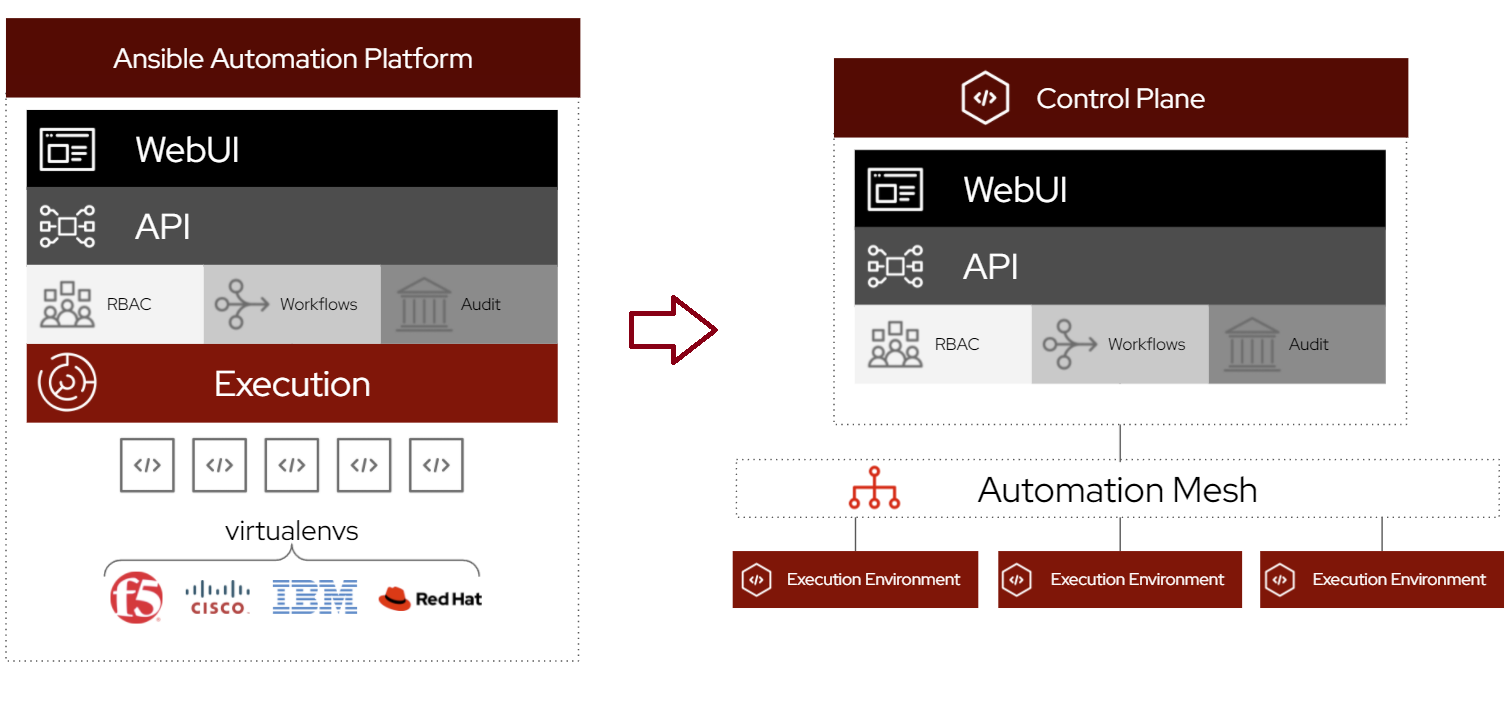
With the announcement of NO MORE ANSIBLE TOWER, the detail is that the Ansible tower is split into two separate components.
As the above shows, the Ansible Tower was in a single monolithic architecture. This works great. However, when there are multiple organizations/teams with multiple python virtual environments requirements, it started to get complicated really quickly.
To address the above, Red Hat has replaced the execution/virtual environments with “Execution Environment”.
The execution environment is a container with various required components.
More information can be found HERE.
The rest of WebUI/API/RBAC/Workflows and Audit components are grouped into “Control Plane”/“Automation Controller”.
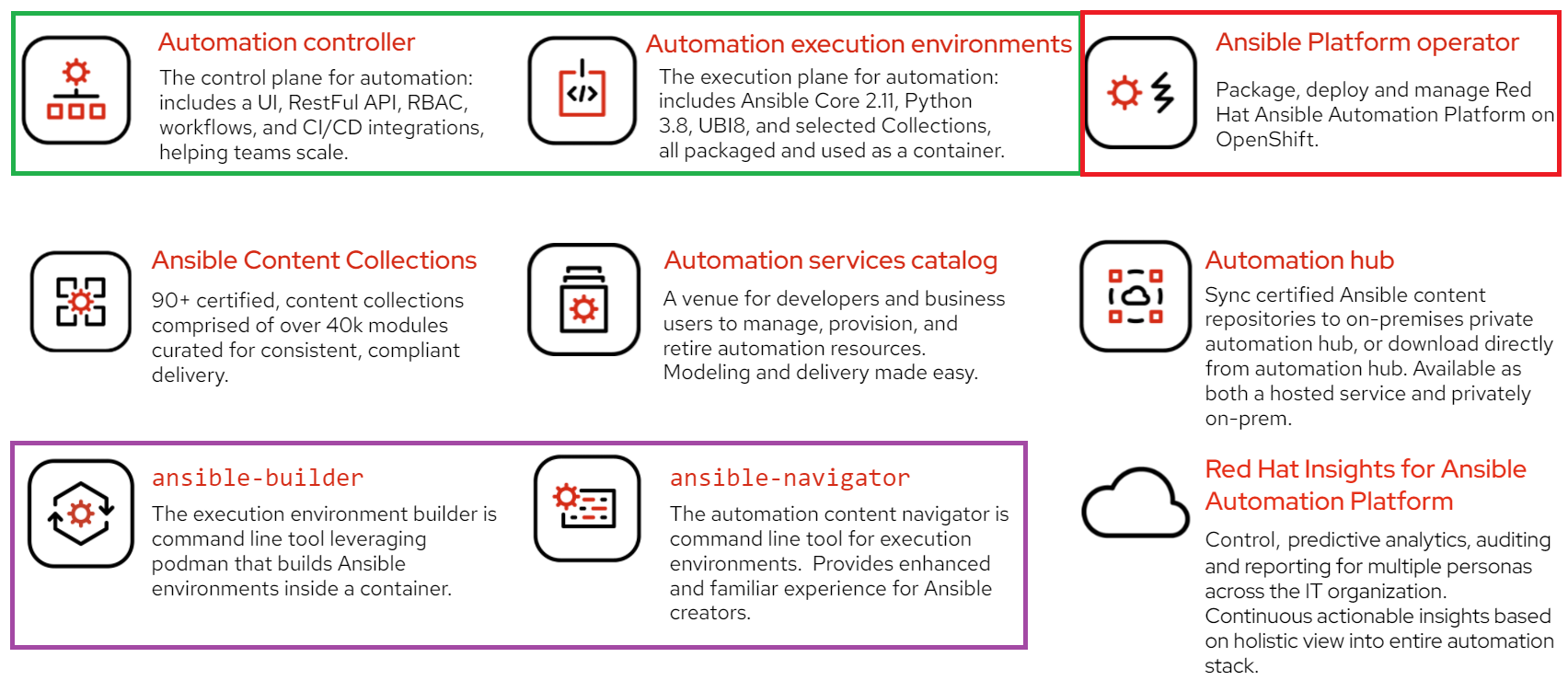
4. Red Hat Ansible Automation Platform has a lot more features/components
Red Hat Ansible Automation Platform features/components
Colour boxed ones are new components and features brought into the Red Hat Ansible Automation Platform.
* Ansible Platform Operator – Red Hat Ansible Automation Platform is available on the OpenShift Container Platform as an Operator.
This makes installation, operation tasks such as upgrade, easy. Also, provide the high availability capability automatically.
As explained above, these two components replaced the old “Ansible Tower”.
* Ansible-Builder
This is a new component that enables an ansible content creator to build a custom/purpose-fit ansible automation execution environment (a.k.a. ansible EE).
* Ansible-Navigator
This is another new command-line component added to enhance ansible content creator experiences. With new the ansible EE, ansible-navigator should be used as a replacement for all too familiar “ansible” and “ansible-playbook”.
This is one tool that you can run, debug even introspect ansible EEs.
This will be covered in another article, HERE.
* REST of components
So until now, Red Hat Ansible had main 2 components as #1 suggests. On top of that there were few additions to that; * Automation Services Catalog – Service Catalog as a SaaS service on https://console.redhat.com/ansible/catalog/products * Ansible Content Collection – Red Hat and partners co-developed and co-supported ansible contents available https://console.redhat.com/ansible/automation-hub. There are currently 102 partners and Red Hat have contributed content. * Automation hub – a single location where public and private ansible content collections will be hosted. * Red Hat Insights for Ansible Automation Platform – where it provided overall information of an organization’s Ansible automation platform usage as a dashboard.
Definitely, with the new version, the above features got richer.
Good company in a journey makes the way seem shorter. — Izaak Walton
I have been lazy in a way that gave up on having a separate blogs then moved to Korean blog site, tistory. Then I realised that, Tistory may not be friendly for people other than Korean.
So I am giving another attempt in maintaining a blog.







 djoo's World